
Tap to Phone
Overview
Maya’s Tap To Phone turns an NFC-enabled Android smartphone into a card payment terminal, so a merchant can accept contactless payments without buying separate hardware.
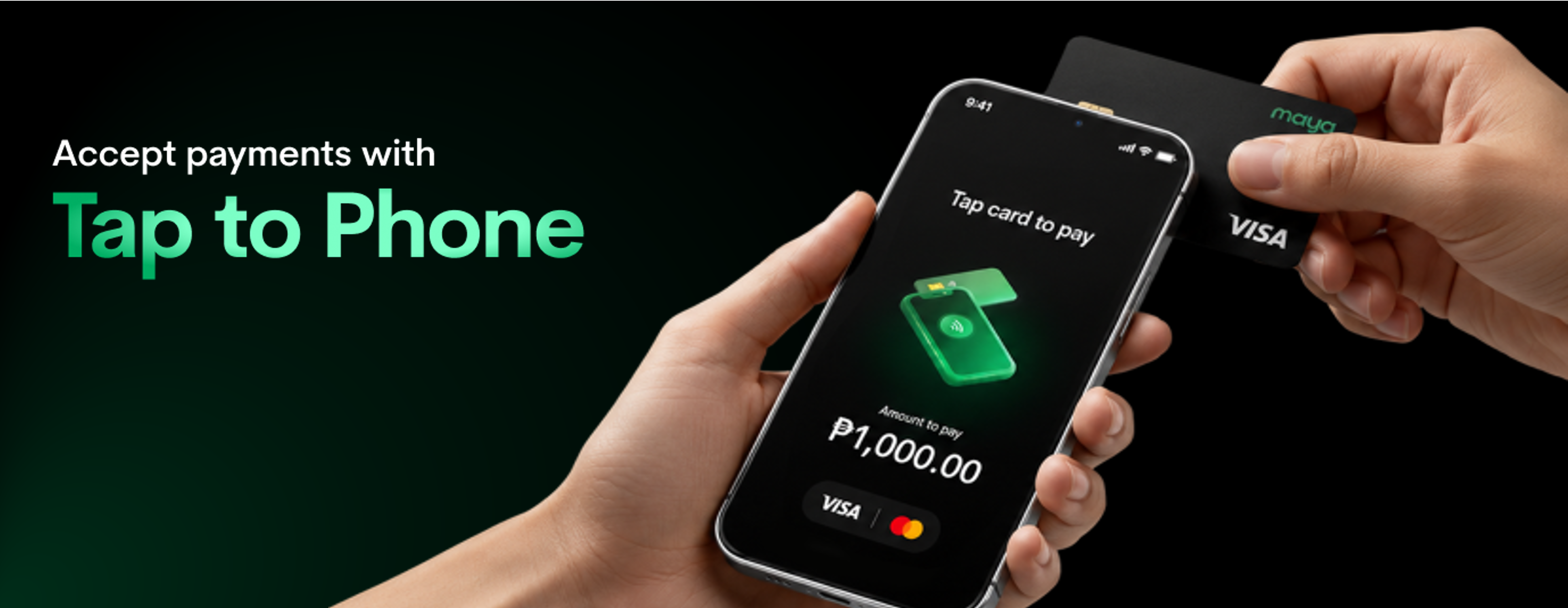
Without it, a Maya Business micro-merchant without a physical terminal can only accept offline payments through static QRPH, which excludes customers who want to tap a card instead of scanning a code.
A merchant can self-activate Tap to Phone inside the Maya Business App, complete a same-day device eligibility check, and settle transactions T+1 into their existing Business Deposit account. No separate app, hardware purchase, or lengthy onboarding is required.
This product is built for ultra micro-merchants: sari-sari stores, small food stalls or carinderias, mobile load retailers, and small online sellers with a physical location.
Business Capabilities
- Tap-to-pay card acceptance, with no incoming limits: Extends offline sales acquiring beyond static QRPH to contactless (tap) payments; Eligible Pro merchants have no limit on incoming Tap To Phone transactions.
- Integrated into Maya Business App: Lives alongside QRPH, Business Deposit, and transaction analytics within the Maya Business App; no separate app download required.
- Same-day activation:** Activate the service directly through the Maya Business App without waiting for a separate payment terminal to be delivered.
- Transaction management, T+1 settlement: Merchants can view transaction history and void unsettled transactions; Transactions settle into the merchant's existing Business Deposit account; no new settlement account setup required.
- Digital receipts: Customers can receive an e-receipt by email at the point of sale.
When to Use
Maya Tap To Phone fits ultra micro-merchants who:
- Currently accept payment only through static QRPH and want to add card and tap-to-pay acceptance.
- Want to increase daily sales and simplify payment collection without buying dedicated POS hardware.
- Have limited or incomplete business documentation and would not qualify for a full merchant terminal setup.
- Already use Maya Business App and have an NFC-enabled Android device.
Supported Payment Methods
Tap to Phone accepts contactless Visa and Mastercard payments, including cards saved in Google Pay and Apple Pay.
For other payment methods and their supported Maya products, see Payment Methods.
Prerequisites
- Device requirements:** An NFC-enabled Android smartphone that passes an eligibility check covering Android version 12 and up, an up-to-date Maya Business Manager app, NFC enabled, no active emulator or VPN, and location sharing enabled.
- Pro Maya Business Account: Only Pro merchants are eligible for Tap To Phone.
- Existing Business Deposit account: Required, since it serves as the settlement account for all Tap to Phone transactions.
Consider Other Products
If Tap to Phone does not fit your payment setup or business needs, consider:
Maya Terminals
A dedicated payment terminal for businesses that need a separate device for accepting in-person payments.
Consider Maya Terminal if you:
- Prefer a dedicated payment device instead of using a smartphone
- Need a fixed or dedicated checkout setup
- Accept payments from a physical store or counter
Learn more: Maya Terminals
Next Steps
Download the Maya Business App now and start accepting contactless payments.
For detailed instructions on activation and acceptance of contactless payment, see Accept Contactless Payments with Tap to Phone.
Updated about 3 hours ago