
Apple Pay is Now Available on Maya Checkout: What Businesses and Developers Need to Know
Created by: Genson Cerezo 5min read
August 5, 2026
Maya has added Apple Pay as a payment option on Maya Checkout, giving merchants another way to reduce checkout friction for iOS and Safari users. If you're evaluating Maya Checkout, whether you're signing off on the vendor, scoping the integration, or writing the code, here's what actually changes, what doesn't, and what to check before you plan around it.
Why This Matters for the Business
For decision makers and product owners, Apple Pay support is less about a new feature to configure and more about closing a conversion gap that already exists in your funnel. Apple Pay lets a customer complete a purchase using a card already stored in Apple Wallet, authenticated with Face ID, Touch ID, or a device passcode, no manual card entry, no re-typing a CVV, no fumbling for a physical card.
The important nuance for anyone building a business case: this isn't a new product you have to procure or a separate contract to negotiate. Apple Pay rides on top of a capability most Maya Checkout merchants already have — card acceptance. If your account already accepts straight card payments through Maya Checkout, Apple Pay becomes available automatically. There's no separate enablement request, no additional integration milestone, and no new relationship manager conversation required solely for Apple Pay.
How It Works: The Technical Picture
For solution architects and developers, the mental model is straightforward: Apple Pay is a front-end payment method that resolves into a standard tokenized card transaction on the back end.
Here's the flow on Maya's hosted checkout page:
- The customer reaches Maya Checkout and selects Apple Pay as their payment method.
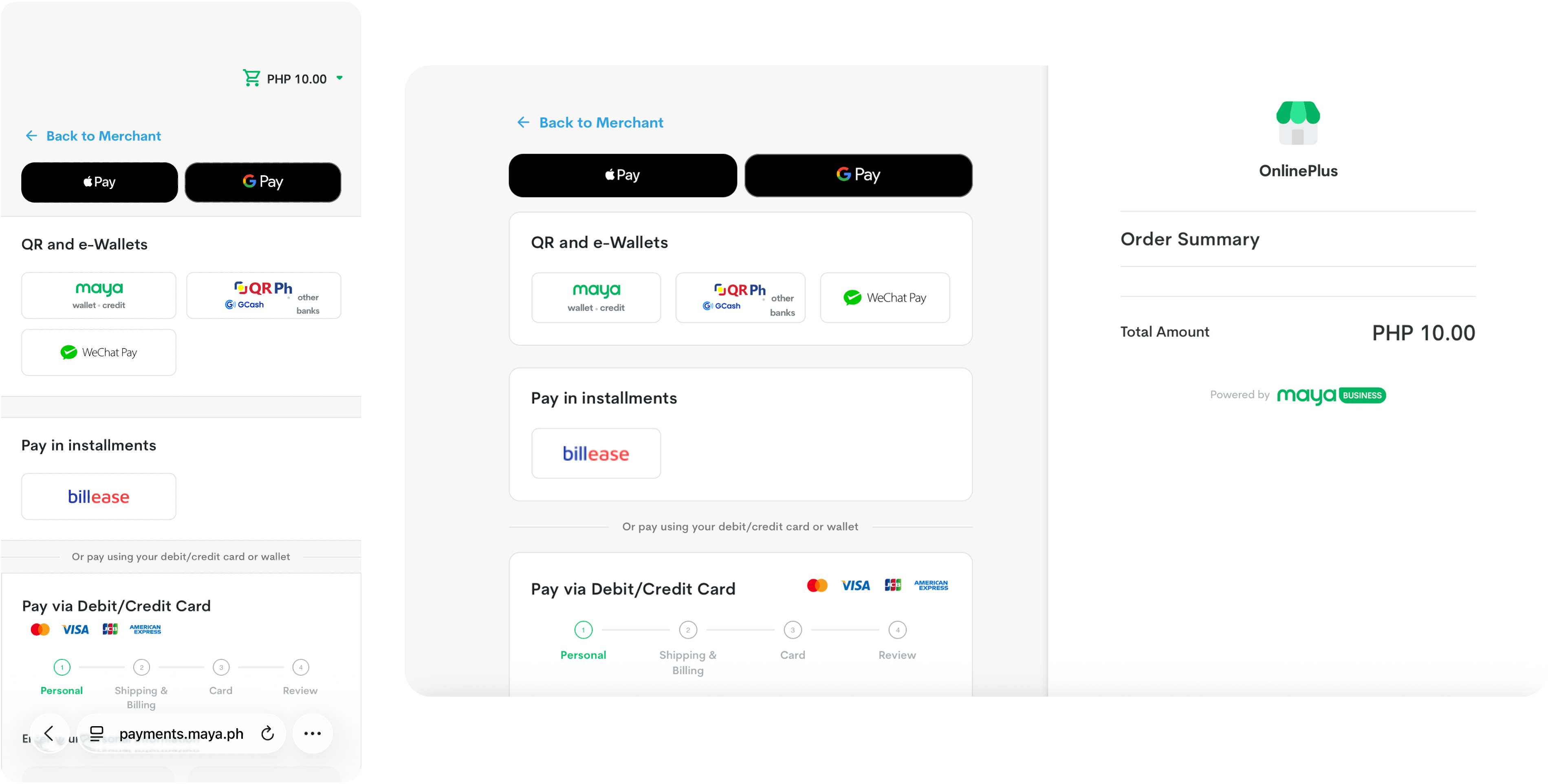
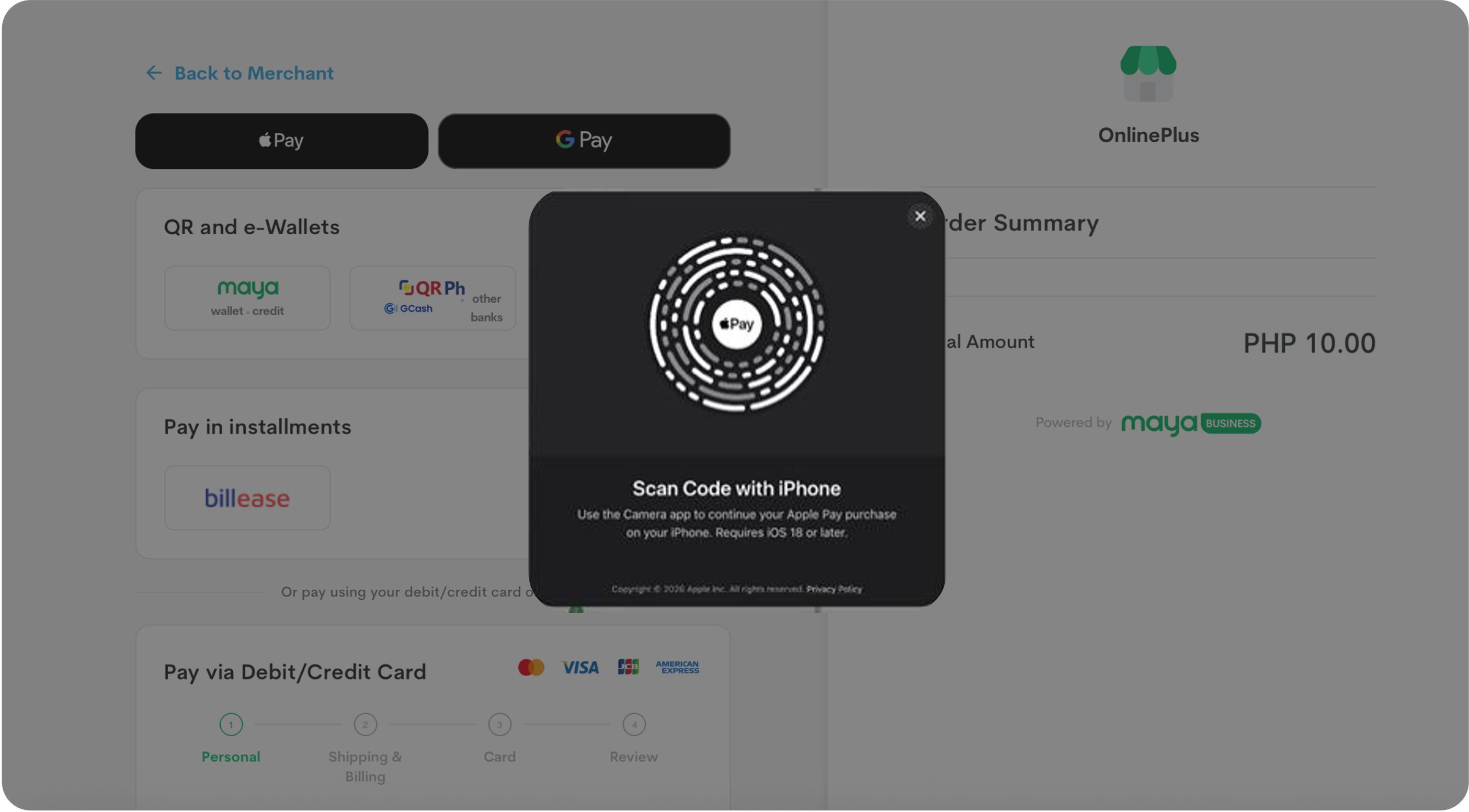
- On iOS devices and Safari, Apple Pay presents its native payment sheet with the cards already stored in the customer's Apple Wallet;
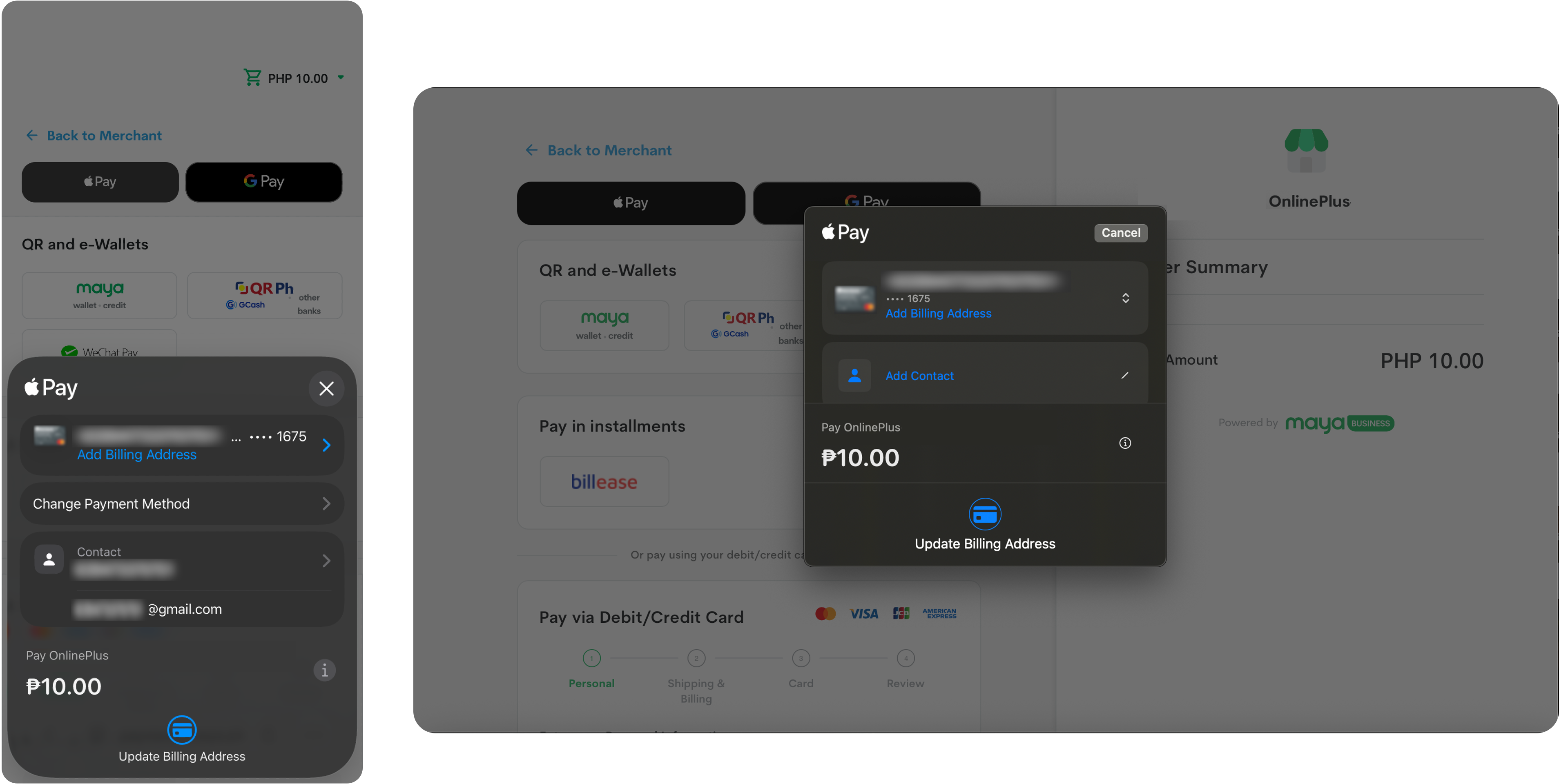
... and on non-iOS devices, it presents a QR code instead.
- The customer authorizes the transaction using Face ID, Touch ID, or their device passcode.
- Apple Pay hands over a tokenized payment credential — the actual card number is never exposed to your site or to Maya.
- Maya processes that token through the relevant card network and the card's issuing bank, the same way it would a manually entered card.
- Maya returns the result to the checkout page, and the customer is redirected to your success page, just like any other Maya Checkout transaction.
Two things worth calling out for architecture planning:
- Maya acts as the Payment Service Provider (PSP) for Apple Pay transactions on its online payment products — handling acceptance, processing, and settlement, so you're not standing up separate Apple Pay merchant infrastructure yourself.
- Settlement follows your existing schedule. Approved Apple Pay transactions settle the same way your card transactions already do — there's no parallel payout process to reconcile.
How to Enable It
This is the part worth putting in bold for anyone scoping the rollout: if card (scheme) acceptance is already enabled on your Maya Checkout account, Apple Pay is enabled automatically. There is no separate toggle to flip.
If card acceptance is not yet enabled, that's the actual prerequisite to sort out first — and it's done the same way as any other Maya Checkout enablement, by contacting your Maya Relationship Manager (or Maya's onboarding team) to activate card acceptance on your merchant account.
Beyond that, there's one more box to check that sits outside Maya's own configuration: compliance with Apple's Acceptable Use Guidelines for Websites. This is Apple's own policy layer on top of the payment integration, covering things like the appropriate use of the Apple Pay mark and acceptable business types, and it applies regardless of which PSP you use.
What This Means for Your Roadmap
For business stakeholders, the takeaway is simple: if you already have card acceptance live on Maya Checkout, you likely have Apple Pay available today.
For architects and developers, the takeaway is that this doesn't introduce a new integration surface to design around. It's an incremental capability layered on the card acceptance flow you've likely already built or are already scoping, with the main additional considerations being Apple's website guidelines and confirming the experience in sandbox before launch.
If card acceptance isn't yet enabled on your account, that conversation with your Maya Relationship Manager is the actual first step — Apple Pay comes along for the ride once it is.
Quick reference for skimmers
| Enablement | Automatic once card acceptance is on — no separate request |
| Prerequisite | Active card (scheme) acceptance on your Maya merchant account |
| Transaction handling | Tokenized card payment; Maya acts as PSP end-to-end |
| Settlement | Same schedule as your existing card transactions |
| UI | Renders inside Maya's hosted checkout page — no custom build needed |
| Also required | Compliance with Apple's Acceptable Use Guidelines for Websites |
References — Maya Developer Hub:
Contributor

Learn more about Maya!
- Head back to our Maya Tech Blog for more interesting articles
- Keep up with the latest stories of innovation from Maya Stories
- or Check us out in LinkedIn.