
Turning Your Maya Terminal into a Convenient Cash Point
Created by: Genson Cerezo 3min read
November 27, 2026
Customers may need cash for everyday transactions, such as transportation, purchases at local markets, or payments to businesses that do not accept digital payments. However, accessing cash may require a separate trip to an ATM or bank, particularly in areas with limited withdrawal facilities.
Express Withdraw on Maya Terminal provides another option. It allows customers to withdraw cash using their BancNet debit cards at participating merchant locations, with the merchant facilitating the transaction through a Maya Terminal.
What is Maya Terminal’s Express Withdraw?
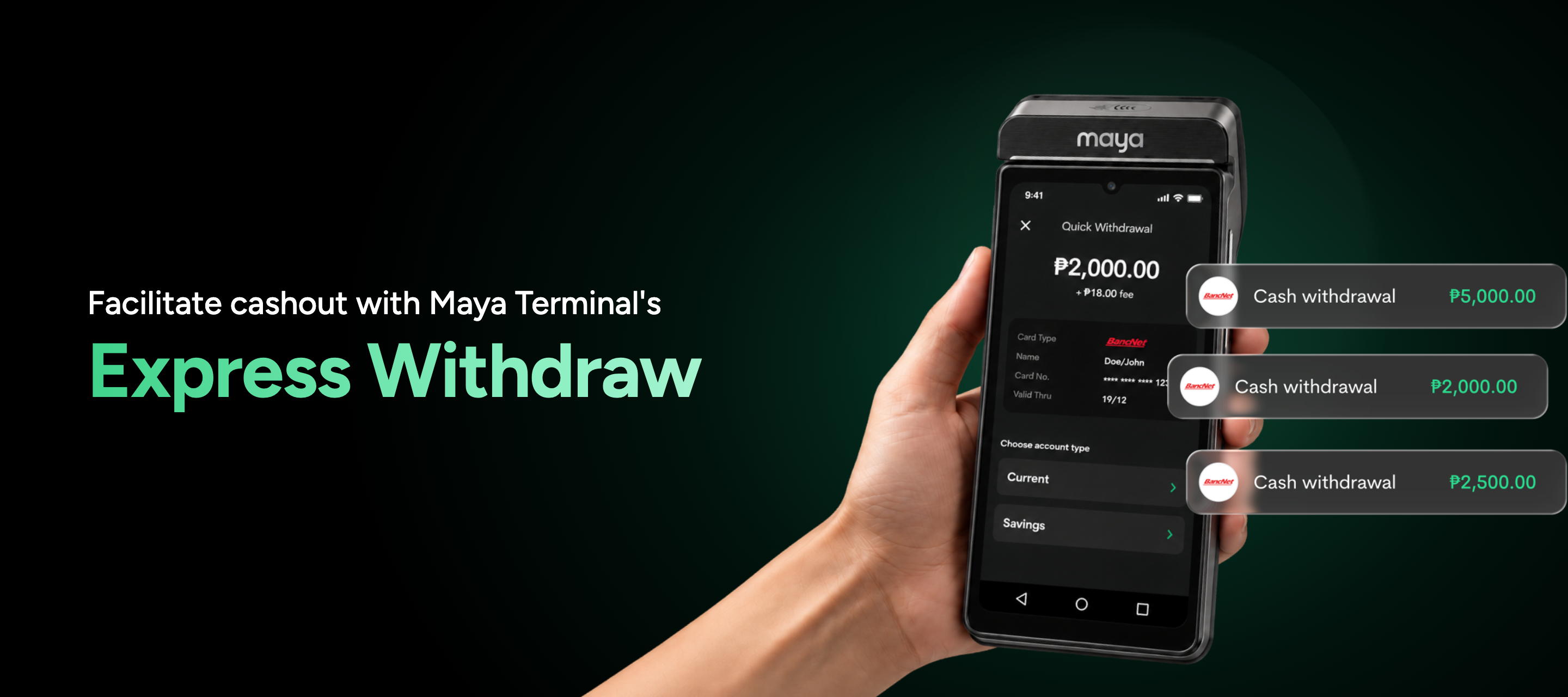
Express Withdraw, also referred to as POS Cashout, is a feature that allows customers to withdraw cash from their BancNet-linked Savings or Current accounts using a Maya Terminal.
Instead of using an ATM, customers can request a withdrawal at a participating merchant. The merchant processes the transaction through the terminal and releases the requested cash once the transaction is approved.
POS Cash Withdrawal: A Common Practice in Other Markets
Cash withdrawal through POS terminals is an established service in several markets. It provides an alternative to traditional ATM withdrawals by allowing customers to access cash at participating retail establishments.
Services differ in their transaction requirements, participating networks, and operating models. However, they share a common purpose: extending cash access through existing retail locations.
For merchants, this introduces an additional service alongside their regular payment acceptance activities. For customers, it provides another option for accessing physical cash without relying solely on ATMs.
How Express Withdraw works on Maya Terminal
Express Withdraw makes the withdrawal process straightforward. Customers use their BancNet debit card, while merchants facilitate the transaction through their existing Maya Terminal.
Here's how it works:
- Select Express Withdraw. The merchant selects Express Withdraw from the Maya Terminal menu.
- Enter the withdrawal amount. The customer specifies how much cash they want to withdraw. The applicable service fee is displayed.
- Present the debit card. The customer inserts or swipes their BancNet debit card and confirms the transaction details.
- Select the account type. The customer chooses Savings or Current.
- Enter the PIN. The customer enters their PIN securely through the terminal. They have up to three attempts.
- Receive the cash. Once the transaction is approved, the terminal prompts the customer to remove their card and prints a receipt. The merchant hands over the requested cash.
The transaction is completed right at the counter, without requiring a separate ATM visit.
What it means for customers
Express Withdraw provides customers with another way to access their funds through participating merchants.
- Additional cash access points: Withdraw cash at participating merchants, particularly when nearby ATMs are unavailable or inconvenient.
- Convenience: Access cash while visiting a store or running errands, without making a separate trip to an ATM.
- Flexible withdrawal amounts: Withdraw any amount from PHP 100 to PHP 5,000, without fixed denominations.
- Fee transparency: View the applicable service fee before confirming the transaction and on the printed receipt.
- Familiar transaction process: Use an existing BancNet debit card and PIN to complete the withdrawal.
What it means for merchants
For merchants, Express Withdraw extends the functionality of an existing Maya Terminal by supporting cash withdrawal transactions alongside regular payments.
- Additional commission: Earn a share of the service fee for every successful withdrawal.
- Additional customer service: Provide customers with access to cash at the merchant's location.
- Use of existing terminal: Process both payments and cash withdrawals using one Maya Terminal, without installing a separate ATM.
- Utilization of available cash: Use available cash on hand to facilitate customer withdrawals, subject to cash availability.
- Separate transaction reporting: View withdrawals separately from card and QR payment transactions, with corresponding service fees and commissions reflected in the daily statement.
- Commission settlement: Receive merchant commissions on a T+1 basis.
Good to know before getting started
Here are the important details merchants and customers should know:
| Feature | Details |
|---|---|
| Supported cards | BancNet debit cards |
| Supported accounts | Savings and Current |
| Minimum withdrawal | PHP 100 |
| Maximum withdrawal | PHP 5,000 per transaction |
| Withdrawal amount | Any amount within the limits; no fixed denominations |
| Service fee | Displayed before transaction confirmation |
| PIN attempts | Up to 3 attempts |
| Receipts | Printed merchant and customer copies |
| Commission payout | T+1 |
| Availability | Enabled per Maya Terminal |
What happens if a transaction is declined?
A withdrawal may be declined due to an incorrect PIN after three attempts, insufficient funds, exceeded withdrawal limits, or a locked or expired card.
If a charge is made in error, the system processes reversals in accordance with BancNet standards. Merchants may also void a same-day withdrawal before releasing the cash, subject to the applicable process.
How to Enable Express Withdraw
Express Withdraw is enabled per Maya Terminal. Merchants interested in using the feature can contact their Maya Sales Support representative or account manager to request activation.
They can also inquire about the applicable customer service fee and merchant commission arrangements.
With Express Withdraw, Maya Terminal supports both payment acceptance and cash withdrawal transactions, extending its use within participating merchant establishments.
Contributor

Learn more about Maya!
- Head back to our Maya Tech Blog for more interesting articles
- Keep up with the latest stories of innovation from Maya Stories
- or Check us out in LinkedIn.